We have detected that you have version of the .NET framework installed on your operating system. This means that you will be able to run the Presentation Facilitator.
We detect that you have 64 bit PC, and .net framework is pre-installed in it. This means that you will be able to run the Presentation Facilitator.
We have detected that you have version {DotNetVersion} of the .NET framework installed on your operating system. Presentation Facilitator requires .NET framework version 2.0 or higher. Please follow the steps below:
-
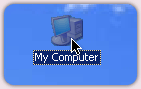
Open up a windows file browser such as "My Computer", by clicking Start menu > My computer.
-
Go the installation directory you selected for the application. The default location is C:\Program Files\Liraglutide Presentation Facilitator

-
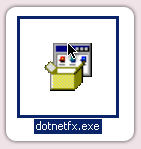
Double click on the file "dotnetfx.exe" and follow the on screen instructions to install the framework
We could not detect what version of the .NET framework is installed on your operating system. Please follow the steps below:
-
Please note the .NET system check is designed to work in Internet Explorer based browsers. Please run this check again in Internet Explorer.
-
Open up a windows file browser such as "My Computer", by clicking
Start menu > My computer.
-
Go the installation directory you selected for the application.
The default location is C:\Program Files\Liraglutide Presentation Facilitator
-
Double click on the file "dotnetfx.exe" and follow the on screen instructions
to install the framework